
Introducing Enhanced Distribution Support
The Open Build Service contains a lot of information about distributions and releases, but it’s not very clearly visible. If you work on these projects every day, you can hold the concepts and connections in your head. Enhanced Distribution Support gives that information a home in OBS.
Only a certain group of people who have worked on such projects know what represents what. So far, there had not been a way to tell what a vendor ships, which releases exist, what each release is built from, or how long it will be supported.
Enhanced Distribution Support organizes that information. The model is one you already know: a vendor publishes distributions,
and each distribution has releases. This is an early iteration of this idea, and currently it barely covers the foundational structure.
These updates are part of the Enhanced Distribution Support beta program. You can find more information about the beta program here.
Vendors
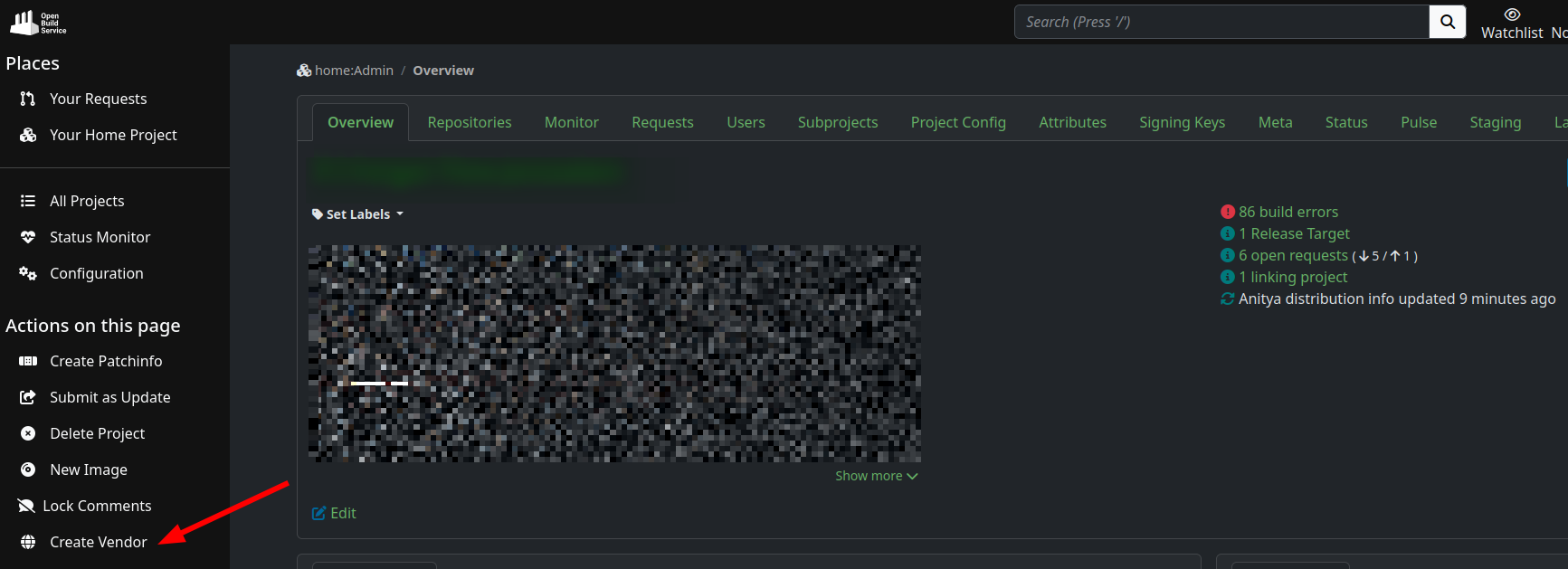
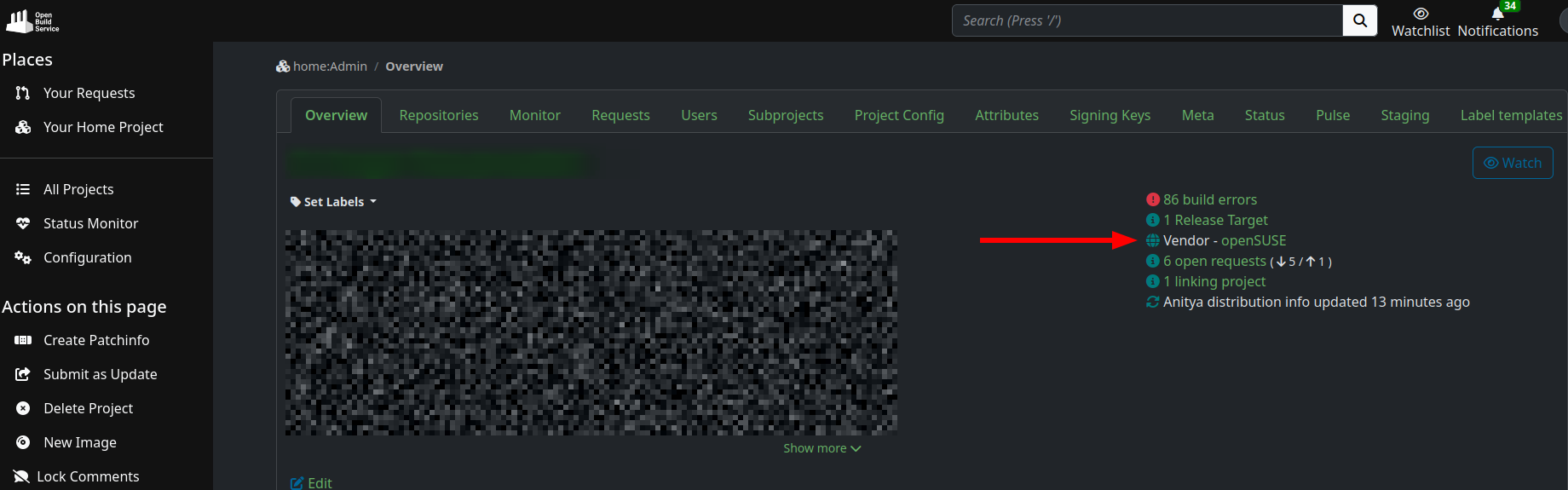
A vendor is the organization behind a distribution: openSUSE, SUSE, Debian. You create one from your project page with the new Create Vendor action,
and that project becomes the vendor’s home in OBS.
Distributions
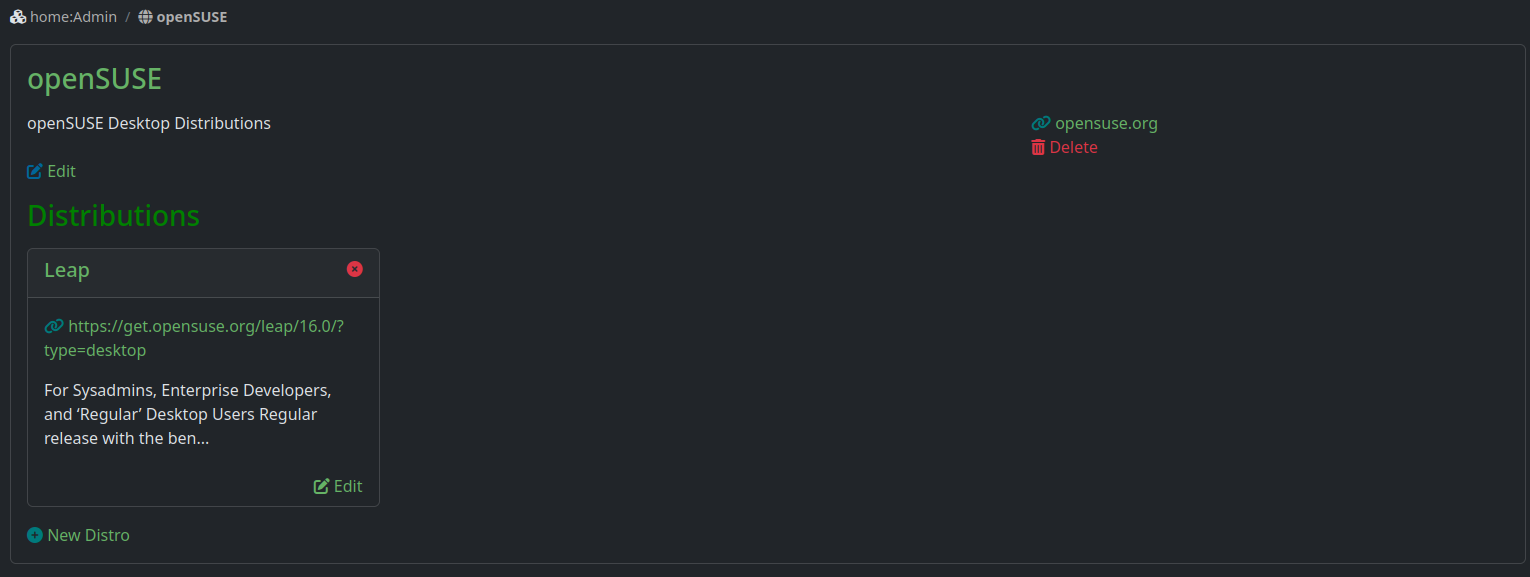
A vendor publishes one or more distributions. These are the product lines rather than individual versions: Leap, Tumbleweed, Slowroll, SLES.
Releases and What They Are Built From
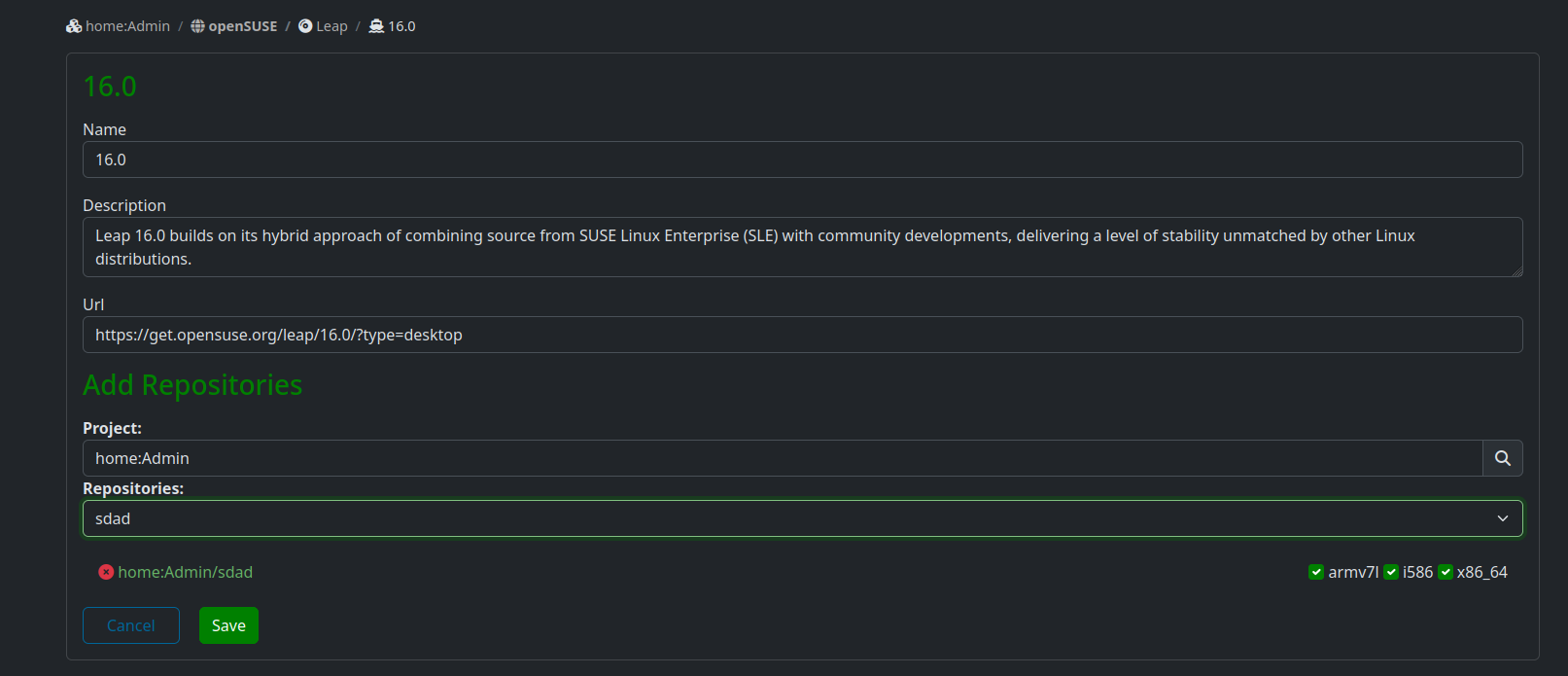
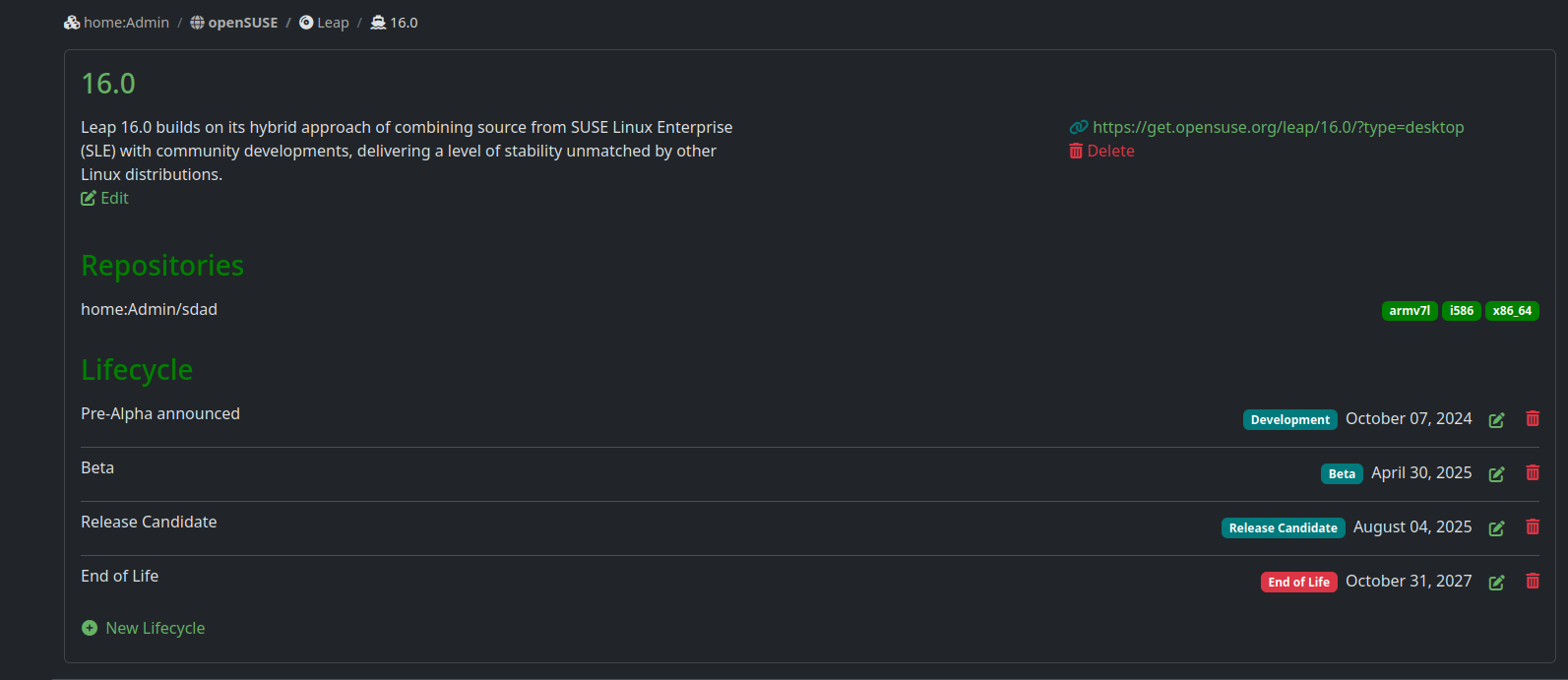
Each distribution then has its releases: Leap 15.6, SLES 15 SP6, Debian 13. You can link a release to the repositories it is built from. Search for a project, pick one of its repositories, and tick the architectures this release actually ships.
Lifecycle
You can also record a release’s dated milestones, shown in chronological order on the release page. The statuses cover the full arc: Planned, Development, Alpha, Beta, Release Candidate and so on.
With this information sitting next to the release it describes, anyone building on top of your distribution can see whether they are targeting something that is about to go out of support.
What Comes Next
To reiterate, this is just the beginning of this whole idea. What is here now is the descriptive layer: you can say what you ship, what it is made of, and how long it lasts.
If you maintain a distribution on OBS, we would like to know what you need to describe that we have not covered yet.
How To Give Us Feedback
There are two ways to reach us:
- On GitHub, by opening an issue and / or commenting on an already opened issue.
- On IRC, by talking directly to us. We are in the channel
#opensuse-buildserviceon Libera.Chat.
Please note that we favor GitHub to gather feedback as it allows us to easily keep track of the discussions.