Quick Filtering by Label
Recently, we have focused more of our efforts on small user experience changes around labelling. While not large by themselves, those tweaks have an outsized impact on the ease of interactions with the labels.
These updates are part of the Labels and Foster Collaboration beta program. You can find more information about the beta program here.
Our efforts to foster collaboration started in August 2024, when we introduced labels and bug report links. Next, we improved labels to foster collaboration, allowed labeling projects and introduced the functionality of managing labels with the API. Building on that, we introduced Assignments. Afterwards, we’ve introduced package version tracking based on the Release Monitoring which has been enhanced with the Package Version Information. Then came label-based filtering and automatic unassignments when a request is accepted. Following that, Package Version Tracking gained new capabilities like upstream release notifications and user documentation. We then introduced New Version Tracking through API and Automatic Labeling, followed by a Quick Update on the Package Version Tracking Feature in OBS. This time we focused on Quick Filtering by Label for projects, requests and notifications.
Click to Filter by Label
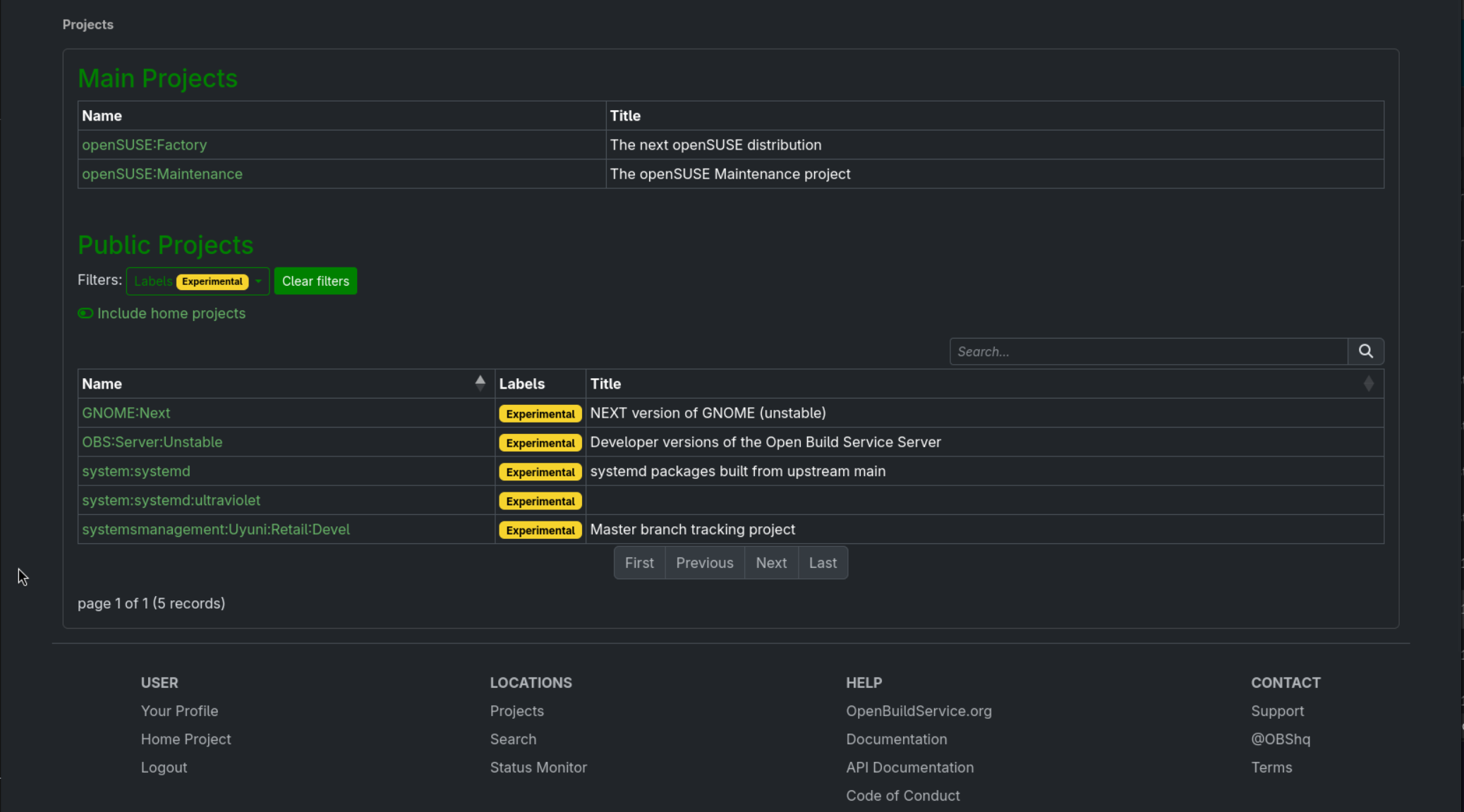
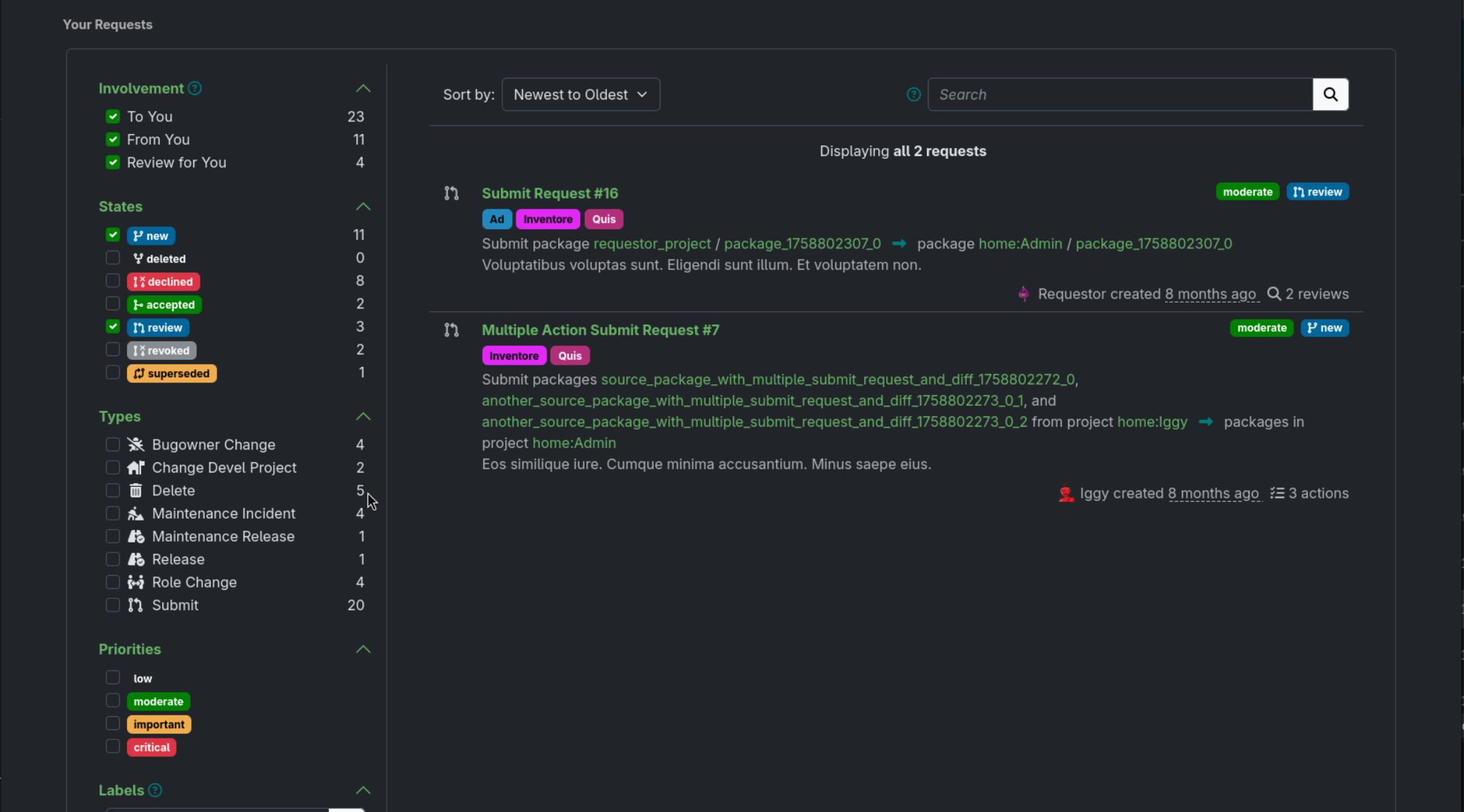
Clicking on a label within the projects list, notifications list or requests list, will instantly show you a filtered list of all other items carrying that same label. This makes tracking items bearing the various labels much easier.
How To Give Us Feedback
There are two ways to reach us:
- On GitHub, by opening an issue and / or commenting on an already opened issue.
- On IRC, by talking directly to us. We are in the channel
#opensuse-buildserviceon Libera.Chat.
Please note that we favor GitHub to gather feedback as it allows us to easily keep track of the discussions.